Premium asset management,
built on LoreGUI.
StudioBrain.AI is a schema-driven digital asset management platform for game teams. It turns the open-source LoreGUI stack into a full DAM — entities, assets, search and an AI workshop — while your lore repository stays the source of truth for every change.
LoreGUI stays free and open source (MIT). StudioBrain.AI is a paid, optional layer on top — you never need it to use LoreGUI.
Where LoreGUI ends and StudioBrain begins
They are complementary, not competing: LoreGUI versions and hosts your project; StudioBrain.AI is the premium product layer your team works in.
LoreGUI
Open source · MIT · free forever
The desktop client and host for Epic’s lore version control. Branch, commit, merge, diff, lock binaries, and serve a repo to your team over a lore:// URL.
- Versions code and huge binary assets
- Hosts your own lore server
- Visual branch, merge, diff & locks
- Runs anywhere — Windows, macOS, Linux
StudioBrain.AI
Commercial · SaaS + desktop · paid plans
The schema-driven DAM for game development. It writes every entity and asset into your lore repository, then adds typed schemas, search, multi-tenant cloud, mobile clients and an AI workshop on top.
- Schema-driven entities & assets
- Full-text + semantic search
- Multi-tenant cloud, web & mobile
- AI workshop, metered per tenant
What StudioBrain.AI adds on top
Everything below is layered over your lore repository — the version-controlled Markdown stays the source of truth, so nothing here locks your data away.

Schema-driven entities & assets
Define characters, items, locations, quests — any entity type — with typed templates and validation. StudioBrain writes each one as Markdown into your lore repo, so the version-controlled files stay the single source of truth.
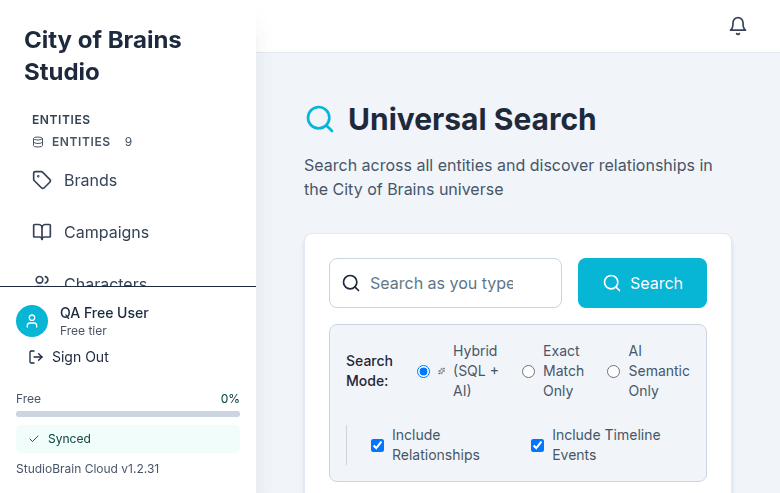
Full-text & semantic search
Index every entity, asset and document for instant keyword and meaning-based search across the whole project — backed by a content cache that always rebuilds from your lore revisions.
Multi-tenant cloud
Web and mobile clients for your whole team, with per-tenant isolation and cloud sync — while writes still land as revisions in your own lore repository, not a proprietary database.
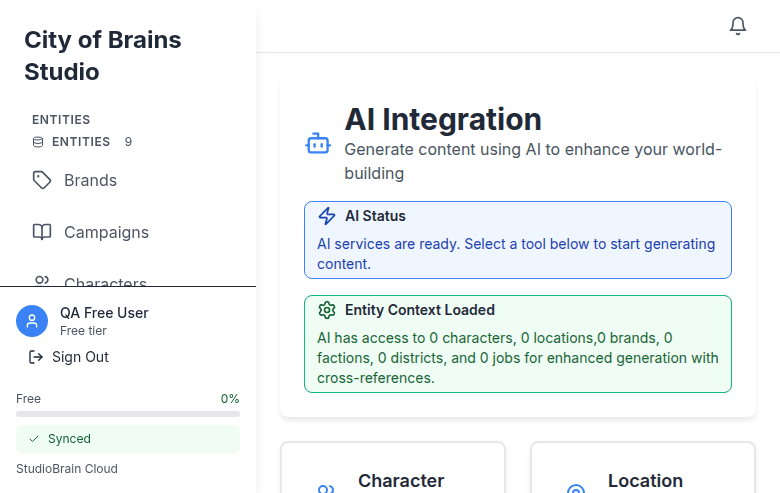
AI workshop & agents
Generate, summarise and cross-reference entities with built-in AI, metered per tenant. The same schema that powers the forms also grounds the AI in your project's canon.
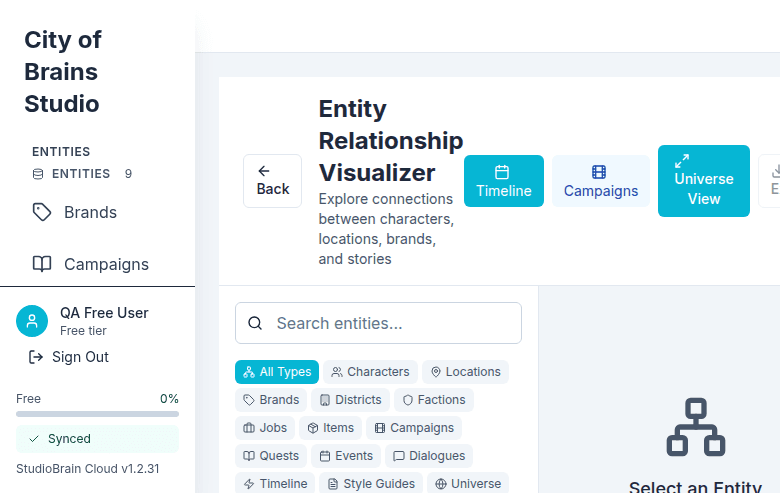
Relationships & cross-references
Link entities, follow references, and see what depends on what. The graph is derived from the same Markdown that LoreGUI versions, diffs and merges.
Your data, your repo
Every edit becomes a lore revision in a repository you own. Cancel any time and keep a complete, human-readable, fully-versioned history — no lock-in.
The desktop one-flow install
Install StudioBrain on the desktop and it brings LoreGUI with it — hosting, activating and connecting your lore server in a single flow.
- 1
Install studiobrain-app
Download and run the StudioBrain desktop installer. There's nothing else to set up by hand.
- 2
LoreGUI auto-installs & hosts
StudioBrain bundles LoreGUI as a sidecar. On first run it stages a local lore server over your project folder and starts hosting it — no separate download.
- 3
Token-activates & connects
The app advertises the hosted server through a secure relay, activates a write grant for your account, and connects StudioBrain to it automatically.
- 4
Start managing assets
Create entities and assets in StudioBrain; each edit is written straight into your lore repository as a new revision you can branch, diff and merge in LoreGUI.
Bring your own lore server
If you already host a lore repository — with LoreGUI, in your own infrastructure, or anywhere reachable — point StudioBrain.AI at it instead of letting the desktop app host one for you.
1. Configure the connection
In StudioBrain, open Settings → Storage → Lore and enter your relay URL lore://host:port/repo, the repository name and a branch. Hit Test connection to confirm it’s reachable before you save.
2. Connect StudioBrain
Click Connect StudioBrain and grant read + write access in the secure consent dialog. Consent and identity are handled entirely by the StudioBrain accounts service — the app only ever receives an opaque grant reference, never a raw token.
3. Edit → new revision
From then on, every entity or asset you edit in StudioBrain is written into your repository as a new lore revision. Open LoreGUI to branch, diff, merge or revert it like any other change.
Ready to add the premium layer?
Keep building with free, open-source LoreGUI — and turn on StudioBrain.AI when your team needs schemas, search, cloud and AI over the same repository.
StudioBrain.AI is a commercial product of Biloxi Studios, Inc. LoreGUI is an independent, MIT-licensed community project and is not affiliated with, sponsored by, or endorsed by Epic Games, Inc. “Lore” is a trademark of Epic Games, Inc.