A beautiful desktop GUI for Lore.
LoreGUI is a fast, cross-platform desktop client for Lore — Epic’s next-generation version control for source code and huge binary assets. Stage, branch, merge, diff, and lock files without touching the command line.
Free and open source. Windows, macOS & Linux · single installer, no daemon.all platforms & other installers
On macOS or Linux? Grab a build from GitHub Releases.
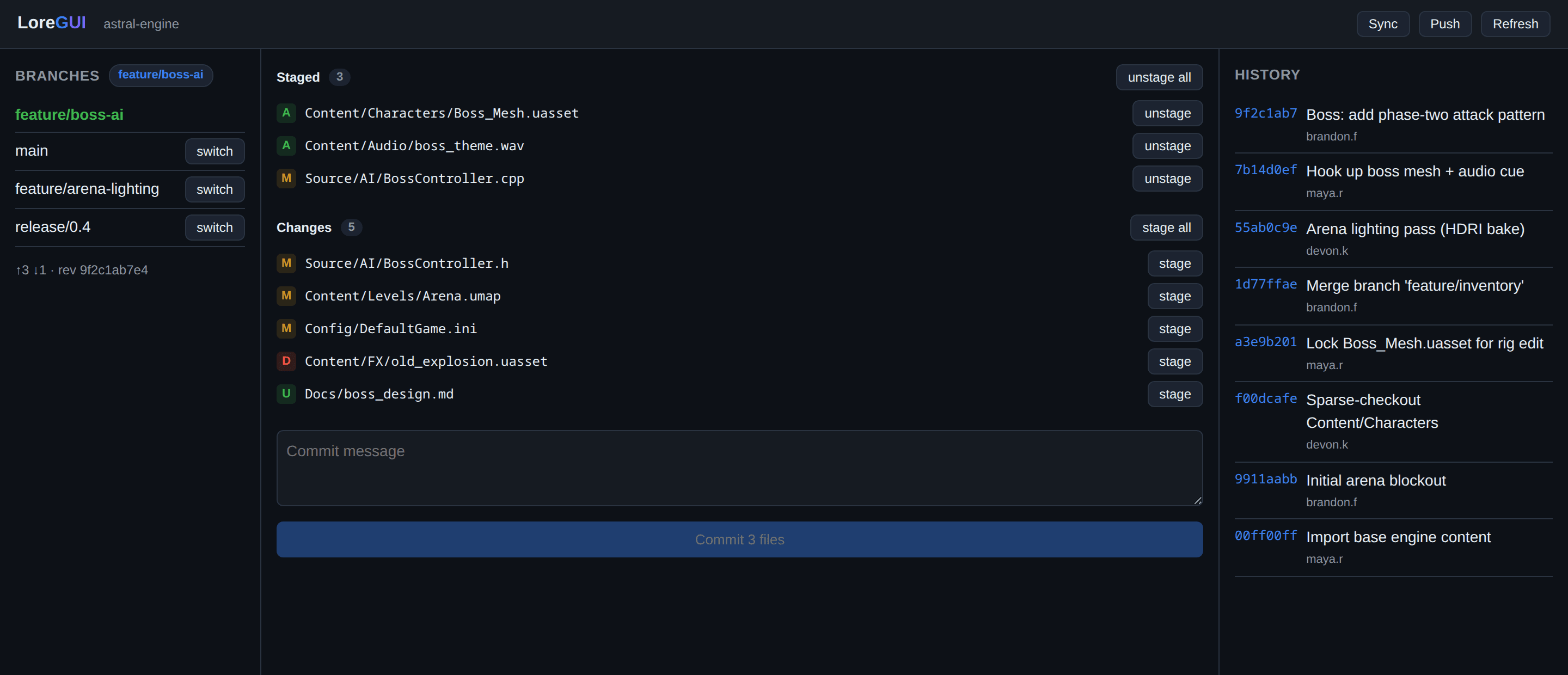
Built for code and giant binary assets
LoreGUI surfaces what makes Lore different from traditional VCS — designed for game and film pipelines, not just text files.
Content-addressed storage
Every file is chunked and hashed with BLAKE3, so identical data is stored exactly once. Massive repos stay small, and integrity is verifiable down to the chunk.
Sparse, on-demand hydration
Clone multi-terabyte projects in seconds. LoreGUI hydrates only the files you actually open, streaming the rest on demand instead of pulling the whole history.
Visual branch, merge & diff
Read the commit DAG at a glance, compare any two revisions side by side, and resolve merges in a focused three-way view — no command line required.
File locking for binaries
Textures, meshes and audio can't be merged. Claim an exclusive lock before you edit, see who holds what in real time, and release with one click when you're done.
In-process, no daemon
LoreGUI binds Lore's native API directly in the same process. No background service to babysit, no IPC round-trips — operations run at native speed.
Cross-platform, one install
A single installer for Windows, macOS and Linux. On Windows it can optionally register a service so your team's checkouts stay synced and autorun on boot.
Built on the full Lore API
Most desktop clients scrape the output of a command-line tool and break the moment a flag changes. LoreGUI is different: it binds Lore’s complete native API — all 124 operations — directly in-process.
That means every capability Lore exposes is reachable from the GUI, with structured results, typed errors and progress streams — no parsing terminal text, no missing features, no daemon in the middle.
- 124
- native operations driven
- 0
- shell-outs to a CLI
- 1:1
- GUI action ↔ API call
Every surface, reachable
- Repository init, clone & config
- Staging, commit & amend
- Branch, tag & ref management
- Three-way merge & rebase
- Diff, blame & history queries
- Sparse checkout & hydration
- Exclusive & shared file locks
- Remote sync, fetch & push
- Chunk & object-store inspection
- Garbage collection & verify
- Hooks & policy enforcement
- Status, stash & worktrees
…and the rest of Lore’s native surface, exposed as first-class GUI actions.
Built for agents, too
LoreGUI isn’t just a desktop app — it’s a toolkit. The same in-process lore binding that powers the command palette and panels also ships as an MCP server, so agents like Claude Code drive Epic’s lore VCS the same way a person uses the GUI.
Point an agent at the server and it gets native lore access — status, history, diff, branches, file-history and locks — plus the mutations to commit, branch, stage and lock. It lives in the repo at lore-mcp/ and pairs with the desktop app.
Register it in one block
"lore": { "command": "/path/to/loregui/lore-mcp/venv/bin/python", "args": ["/path/to/loregui/lore-mcp/server.py"], "env": { "LORE_REPO": "/path/to/repo", "LORE_OFFLINE": "1" }}Two agent skills — loregui and lore — let any agent self-onboard: install, configure and then drive the server without hand-holding.
One tool per lore op
The MCP server exposes each lore operation as its own tool — commit, branch, stage, lock and more — so an agent calls them natively instead of guessing at a CLI.
Schemas from the same manifests
Every tool's name, description and input schema is generated from the GUI's command-palette manifests — the agent and the app stay in lock-step from one source of truth.
Read tools are repo intelligence
status, history, diff, file-history and locks — the git/p4-equivalent read & metrics surface — give an agent a structured, real-time picture of the repository before it acts.
Let your agent install it
Paste this prompt into Claude Code (or any agent that can fetch URLs) and it will clone the repo, build lorevm, install the MCP server, register it, and verify the chain end-to-end — no manual steps.
Set up LoreGUI and the lore MCP for me — read and follow https://raw.githubusercontent.com/BiloxiStudios/loregui/main/AGENT-SETUP.md end-to-end, then verify it works.The runbook is AGENT-SETUP.md in the repo root — readable by humans and agents alike.
Lore anywhere you work
Whether you’re in a desktop GUI, a code editor, Unreal Engine, or an AI agent — the same lorevm engine drives every surface, and every op is consistent across all of them.
LoreGUI Desktop
Desktop app
The full GUI: branches, commits, merge, diff, file locking, theming — everything in one cross-platform window. Binds the lore engine in-process; no daemon, no CLI shelling.
- Visual branch, merge & diff
- File locking for binaries
- Command palette (⌘K)
- Fully themeable
- Windows, macOS & Linux
Lore Source Control
VS Code extension
Lore source control inside VS Code's native SCM panel. Stage, commit, view history, compare diffs, and manage file locks without leaving your editor. Built for Verse/UEFN teams and asset-heavy projects — powered by the same lorevm engine as the desktop app.
- Native SCM panel integration
- Stage, commit & diff inline
- Revision history in-editor
- File-lock awareness & status
- One-line install
One-liner install
code --install-extension BiloxiStudios.loregui-loreStudioBrain for Unreal
Unreal Engine plugin
Lore source control inside Unreal Engine's content browser. Lock/status overlays on assets, checkout = lock, check-in = commit, sync — all driving lorevm-ffi for the hot path. Entity-aware versioning is on the roadmap.
- Content-browser lock overlays
- Checkout = lock, check-in = commit
- Sync from Unreal toolbar
- Drives lorevm-ffi (C ABI)
- Entity-aware versioning (roadmap)
No download yet — follow the GitHub repo for updates.
lore-mcp
MCP / agents
Drive Lore from AI agents (Claude Code and others) via the MCP server included in the repo. One tool per Lore operation, schemas generated from the same palette manifests as the desktop app — so the agent and the app stay in lock-step.
- One MCP tool per Lore op
- Schemas from palette manifests
- Status, history, diff, locks
- Commit, branch, stage, lock
- Agent self-onboarding skills
Install the VS Code extension now
Published as BiloxiStudios.loregui-lore on the VS Code Marketplace. Run the one-liner or search “Lore Source Control” in the Extensions panel.
code --install-extension BiloxiStudios.loregui-loreWant a premium asset-management layer?
CommercialStudioBrain.AI is a paid, schema-driven DAM by Biloxi Studios that layers entities, assets, search and a multi-tenant cloud on top of LoreGUI — while your lore repository stays the source of truth. Optional, and never required to use LoreGUI.
Your whole repo, made legible
One window for status, history and branches — plus a command palette that runs any operation. Purpose-built for projects where the binaries are bigger than the code.
Hover (or tap) any window — most reveal a related feature, and the rest flip to the light theme, since every pixel is a semantic token.
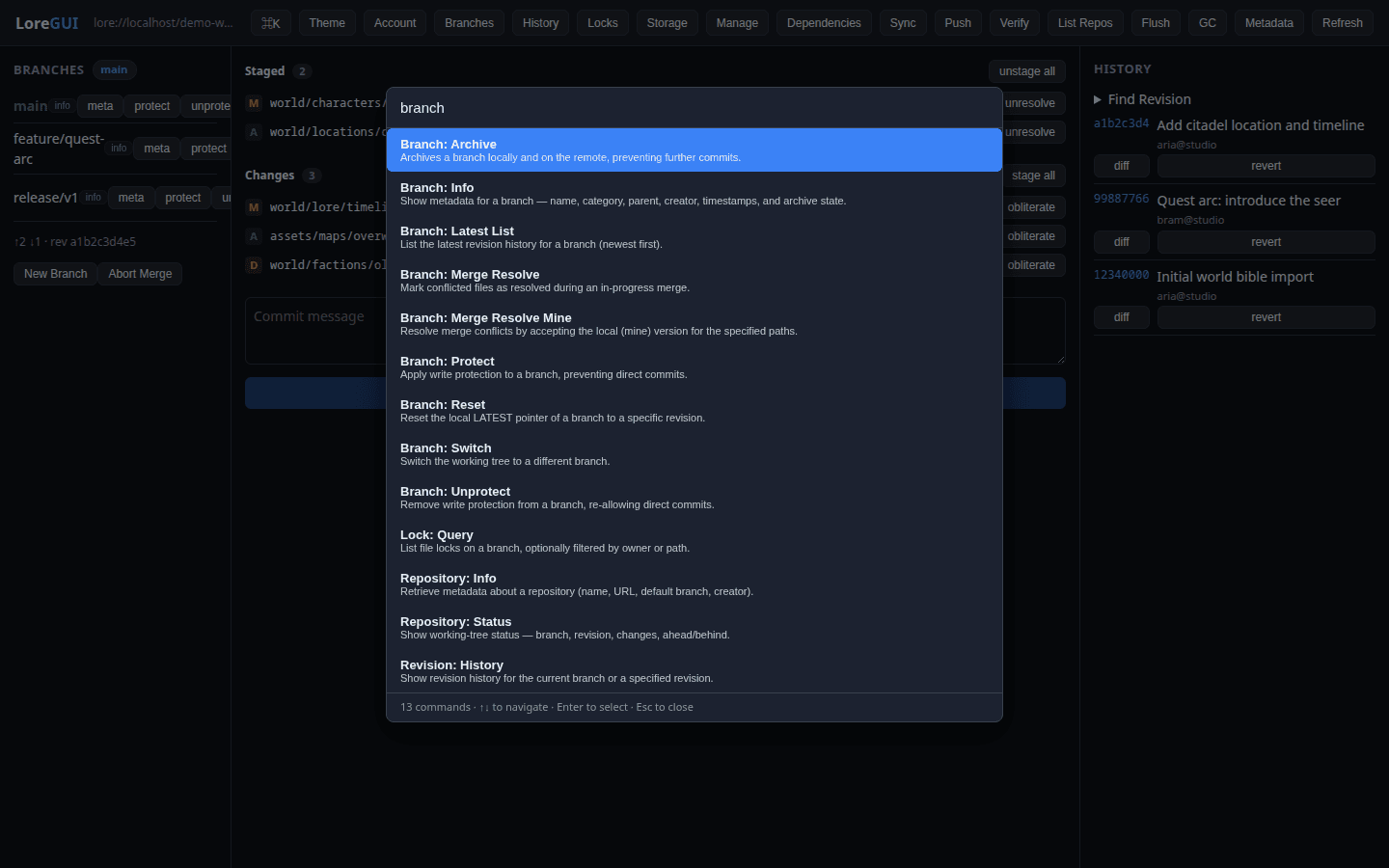
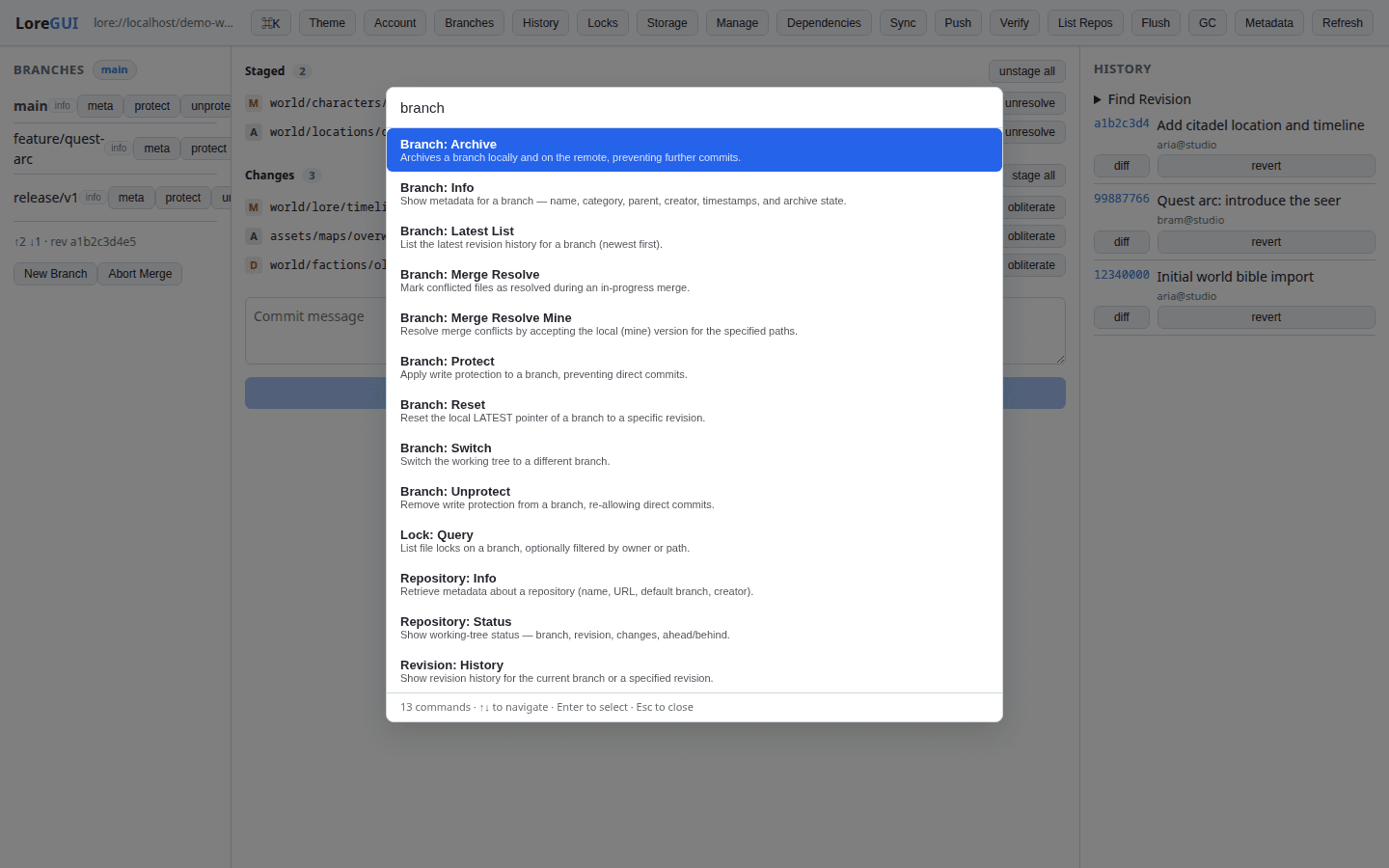
Press ⌘K to fuzzy-search and run any operation in the app.
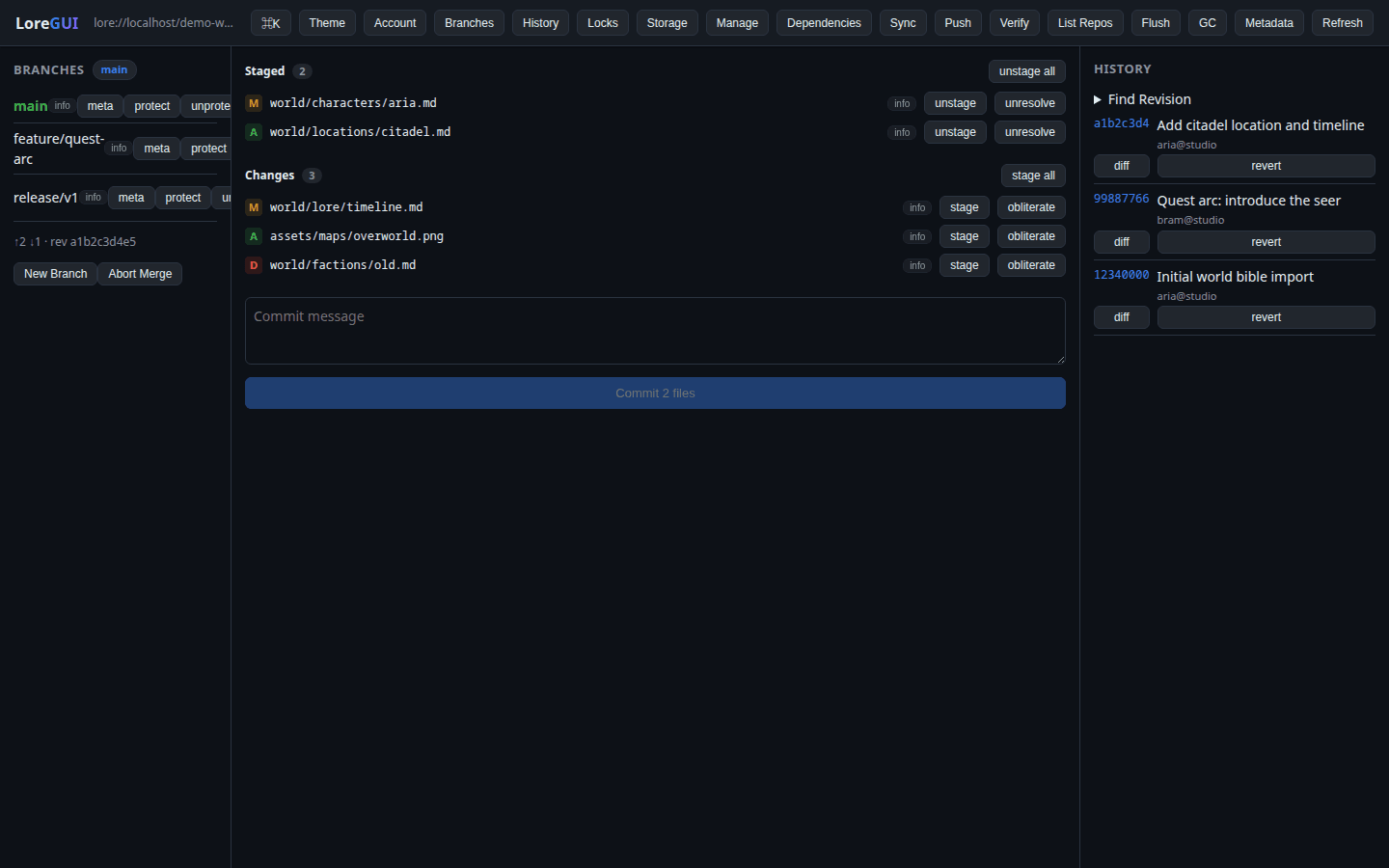
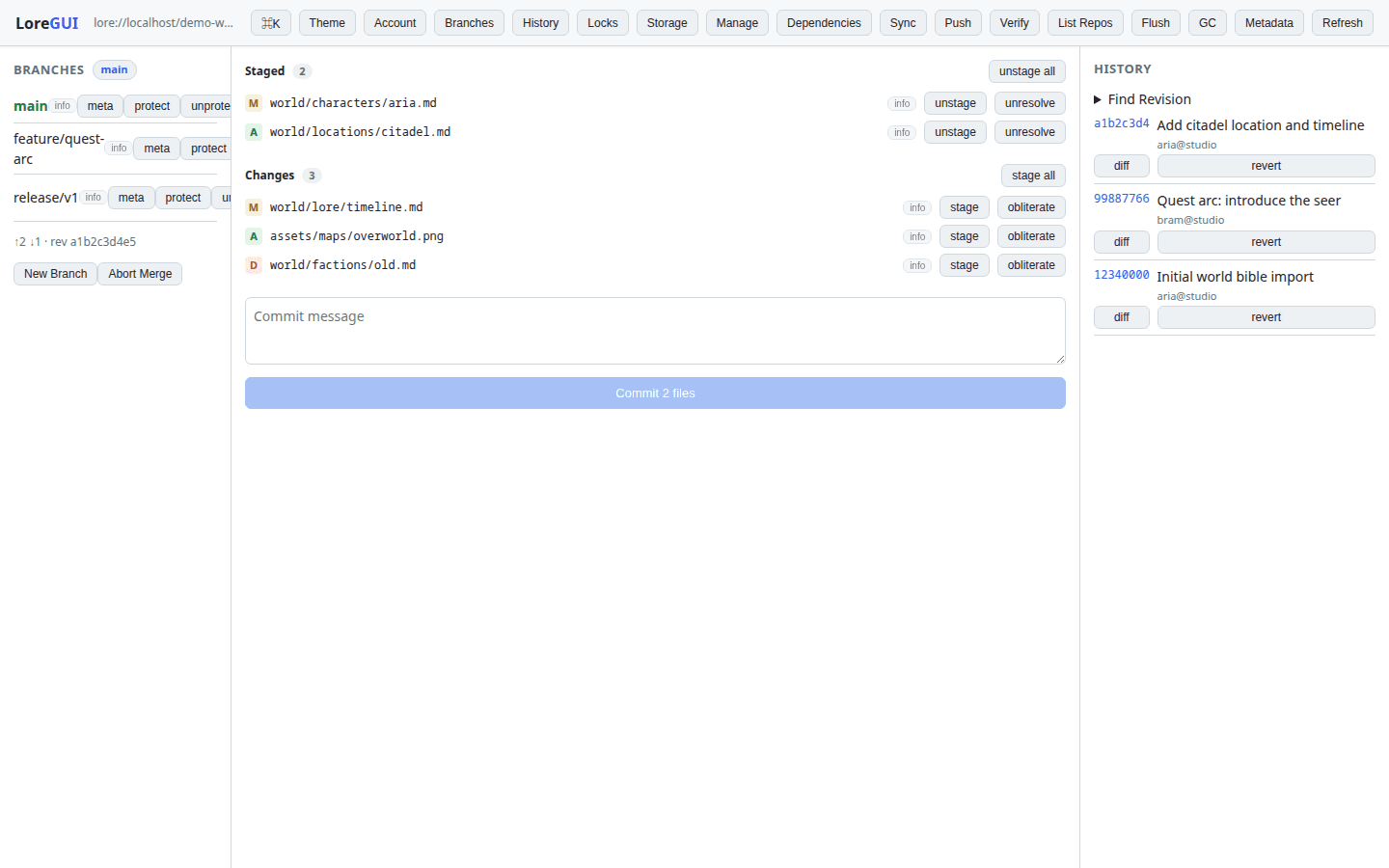
Branches · Changes · History
The whole repository in one window — pick a branch, stage and commit changes, and read the history without ever touching the command line. Hover to re-theme it light.
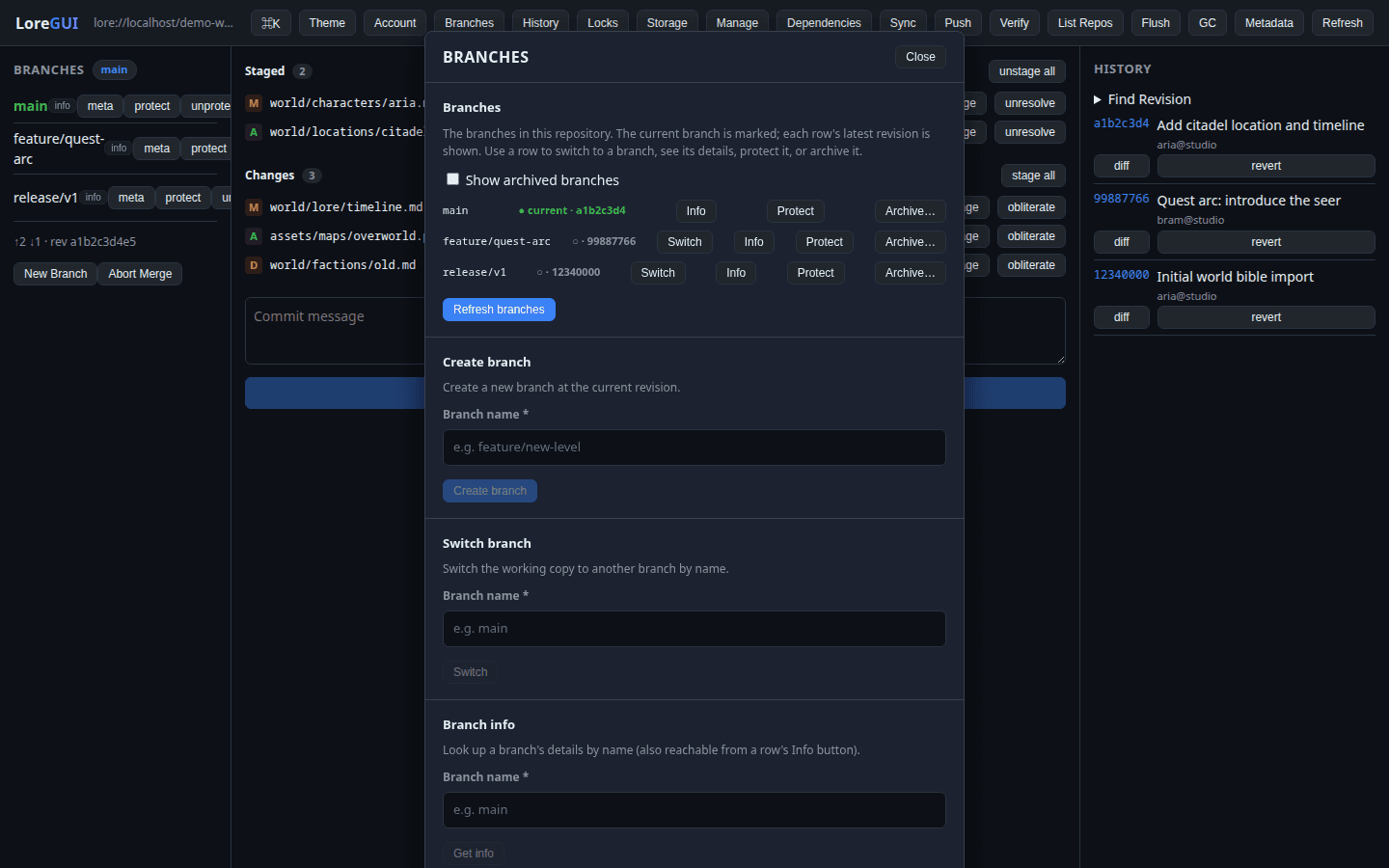
Branches & merging
Create, protect, archive and reset branches — then drive a guided three-way merge with conflict resolution built in.
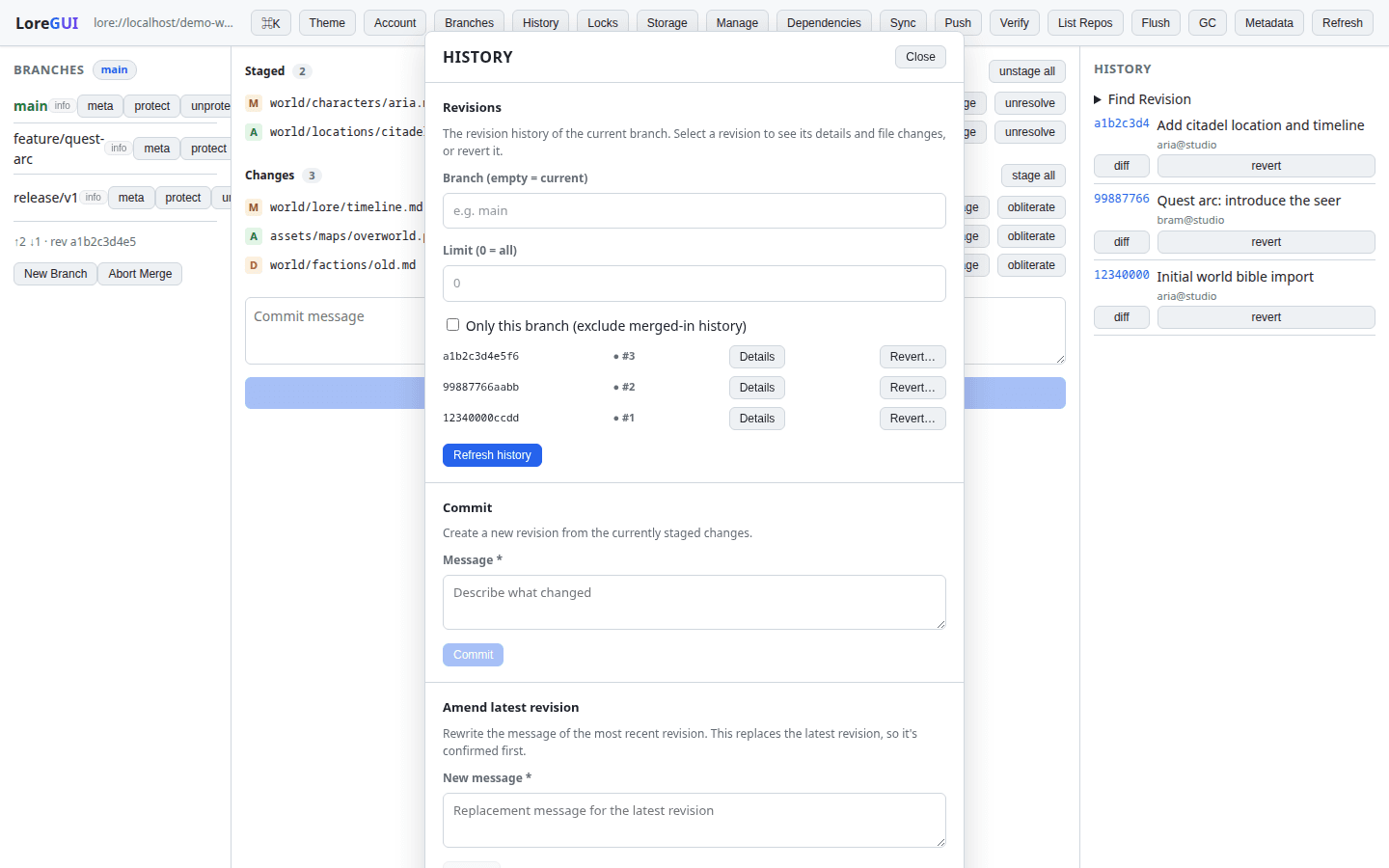
Revisions & diff
Hover to follow that branch into its history: walk every revision, compare any two side by side, and revert a change in a single click.
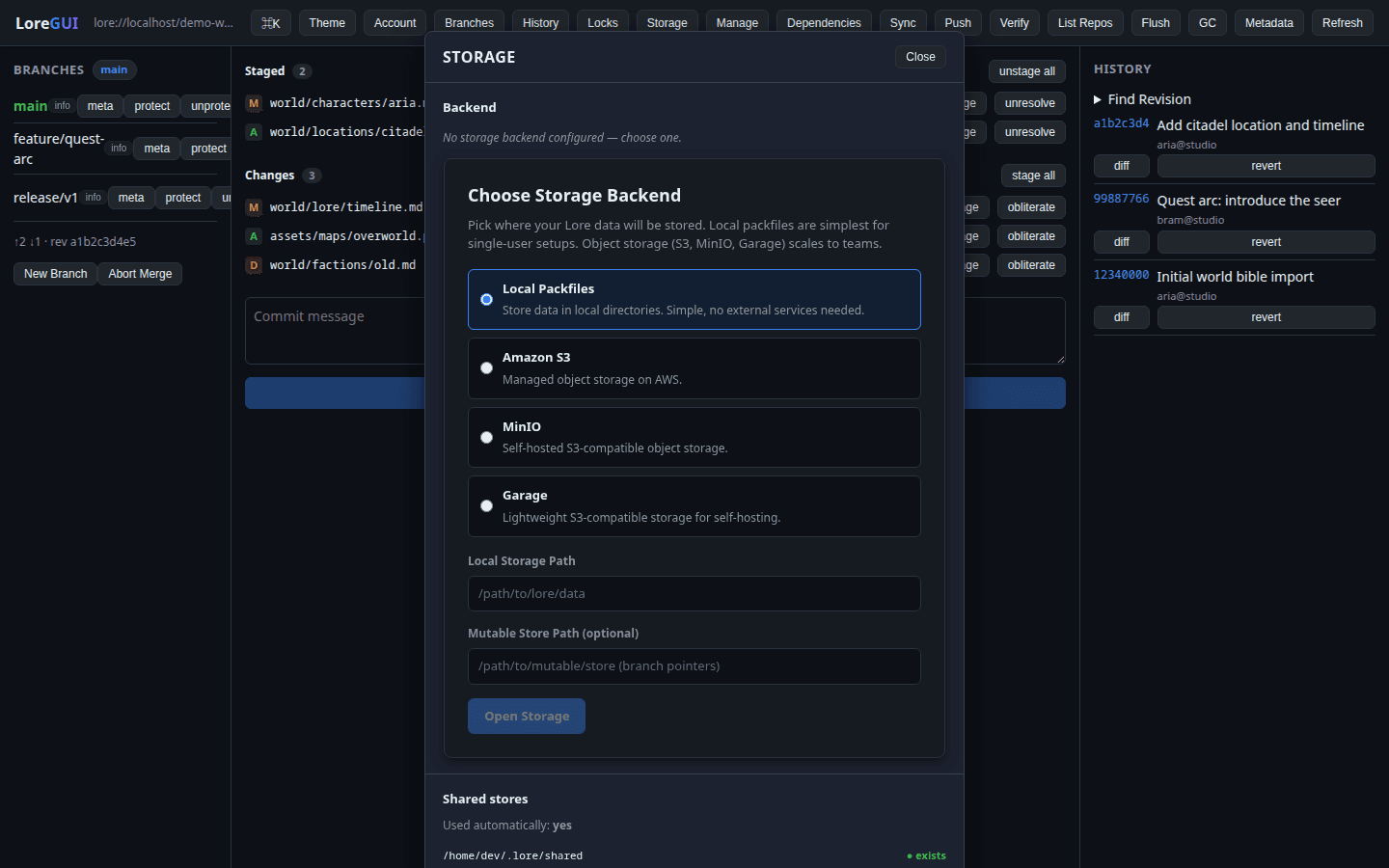
Storage backends
Point a repository at local packfiles, an S3 bucket, MinIO or Garage — and confirm connectivity before you ever commit.
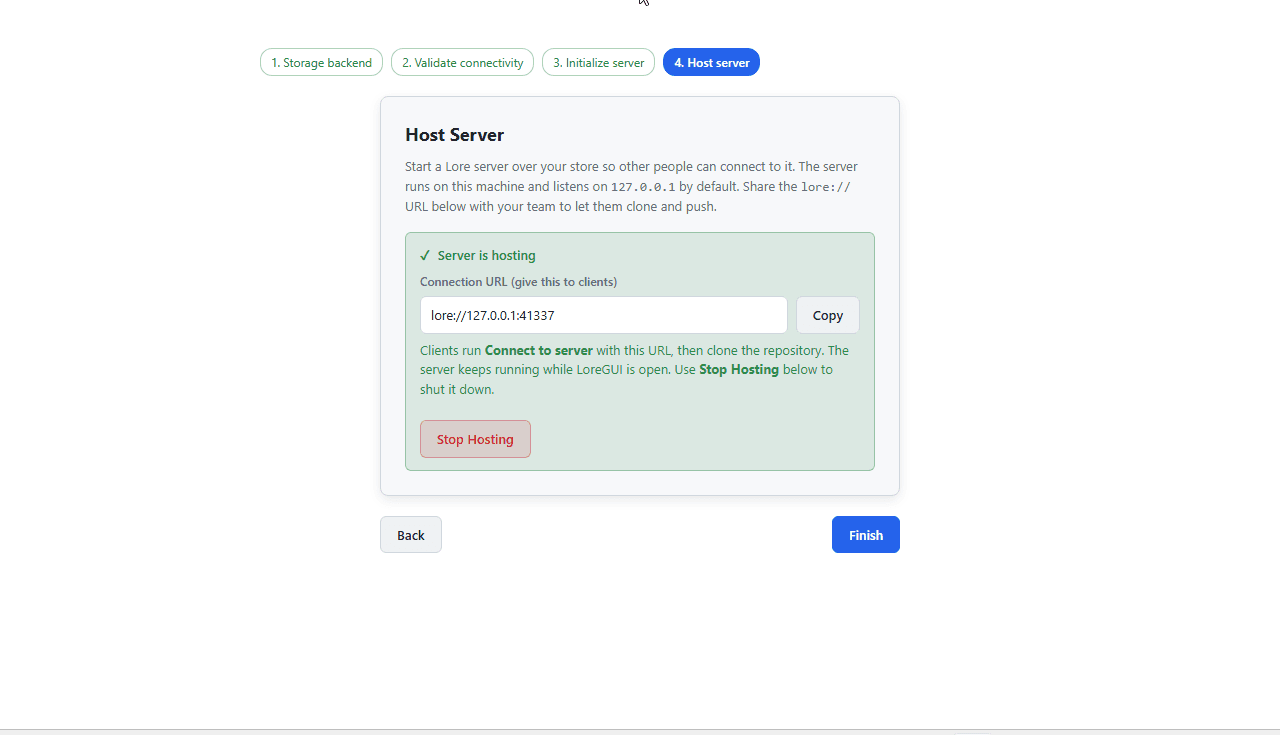
Host your own server
Hover to jump into the real Windows app: start a Lore server over that same store and share a lore:// URL so your whole team can clone and push.
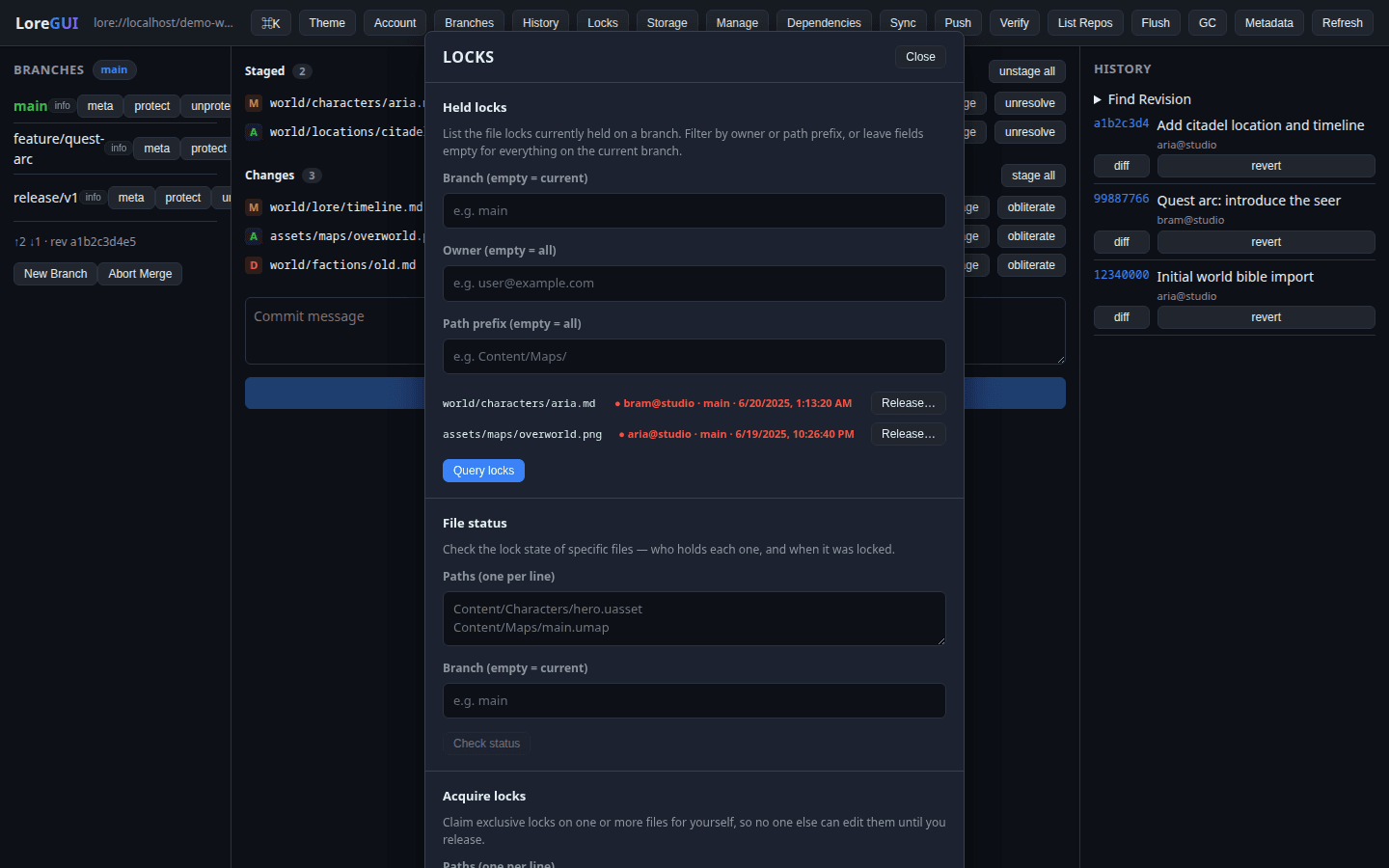
File locks
Claim an exclusive lock on the binaries you're about to edit, so two people never overwrite the same asset — see who holds what, and when.
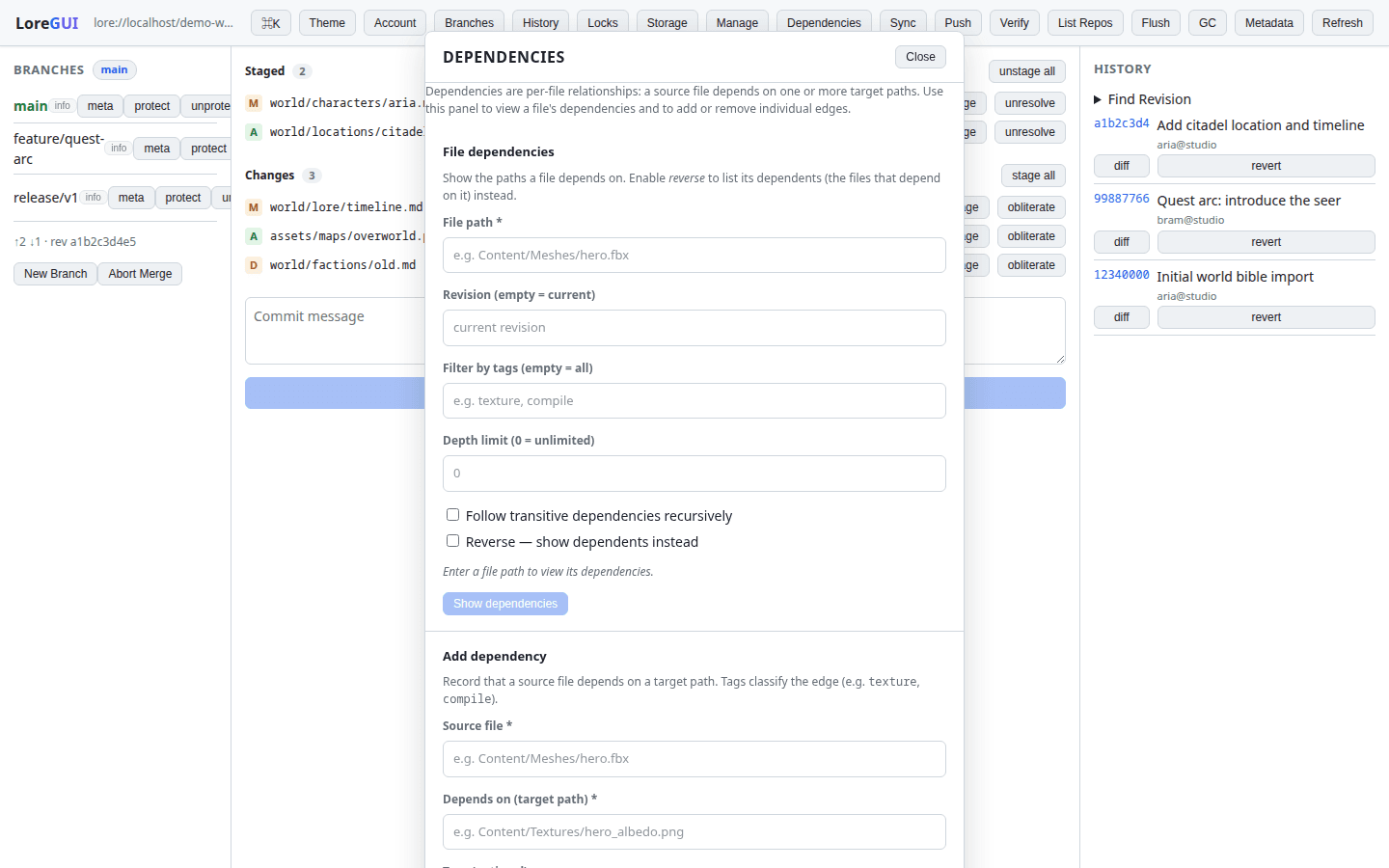
Dependency tracking
Hover to map how assets reference each other: know exactly what a mesh or texture depends on — and what would break — before you change it.
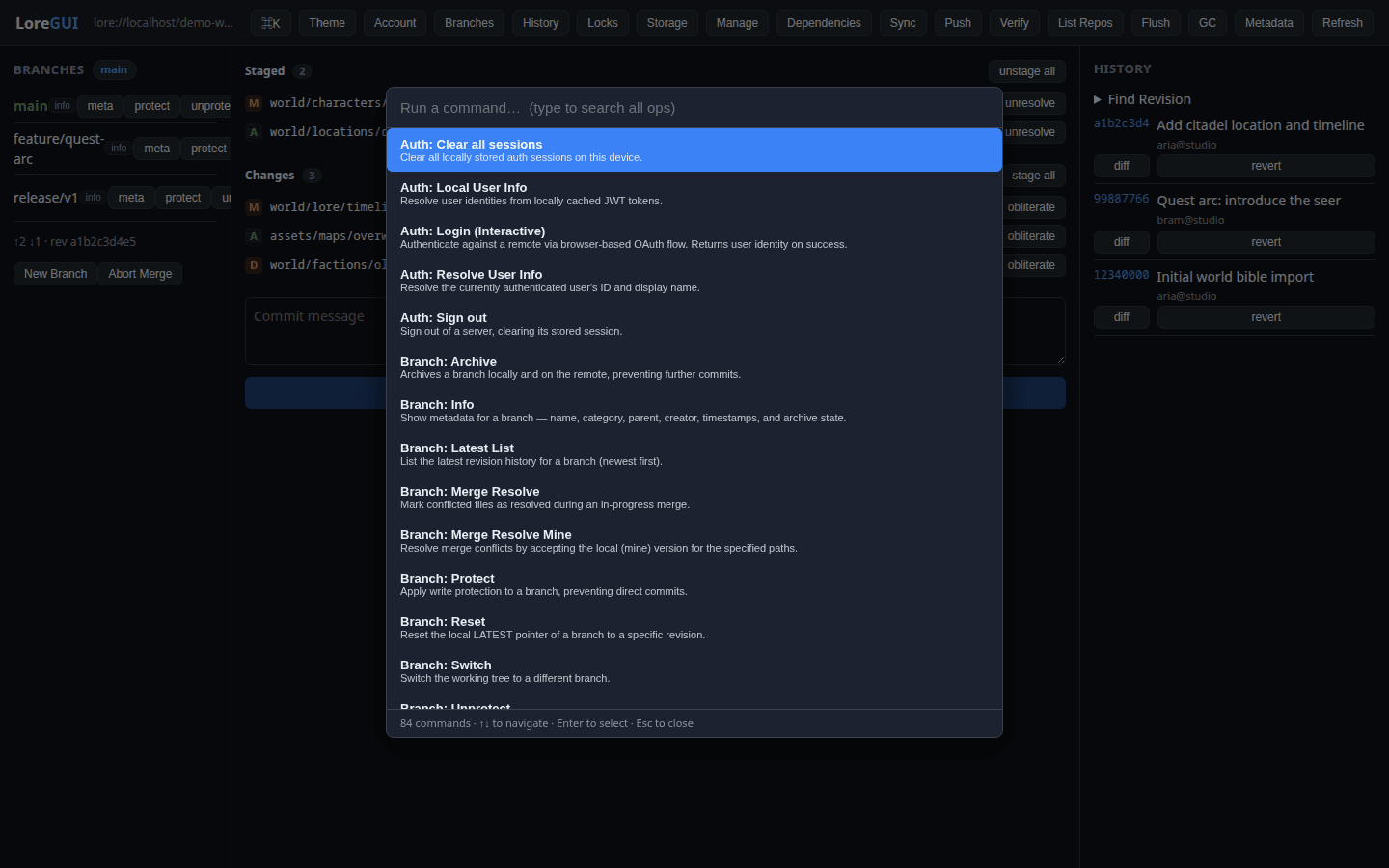
One palette, every command
Press ⌘K anywhere to open a single palette that lists every operation in the app — over a hundred of them, no menu-hunting.
Fuzzy-find & run
Hover to start typing: the list narrows instantly — branch, lock, push, merge — and Enter runs it. Power-user speed, nothing to memorise.
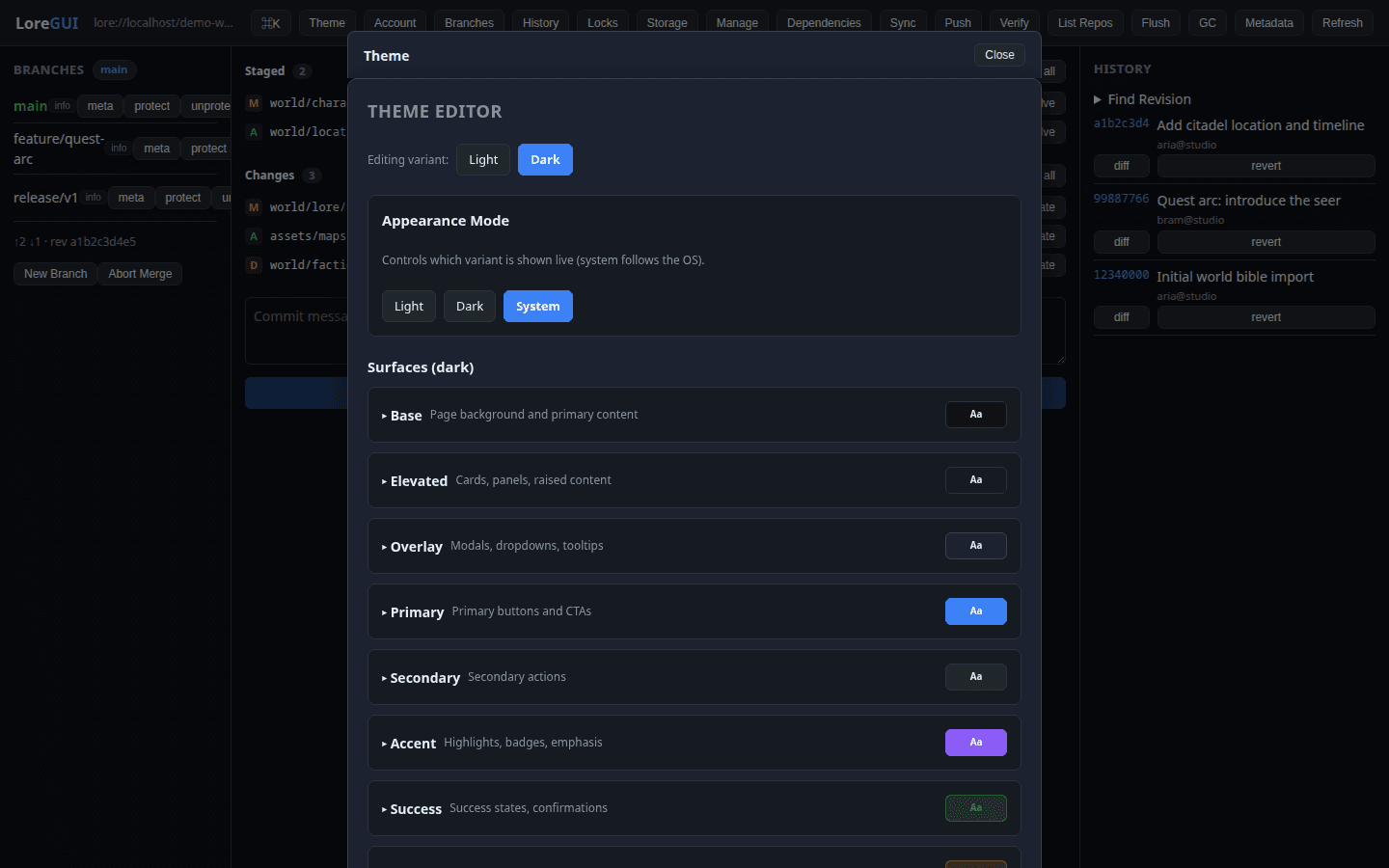
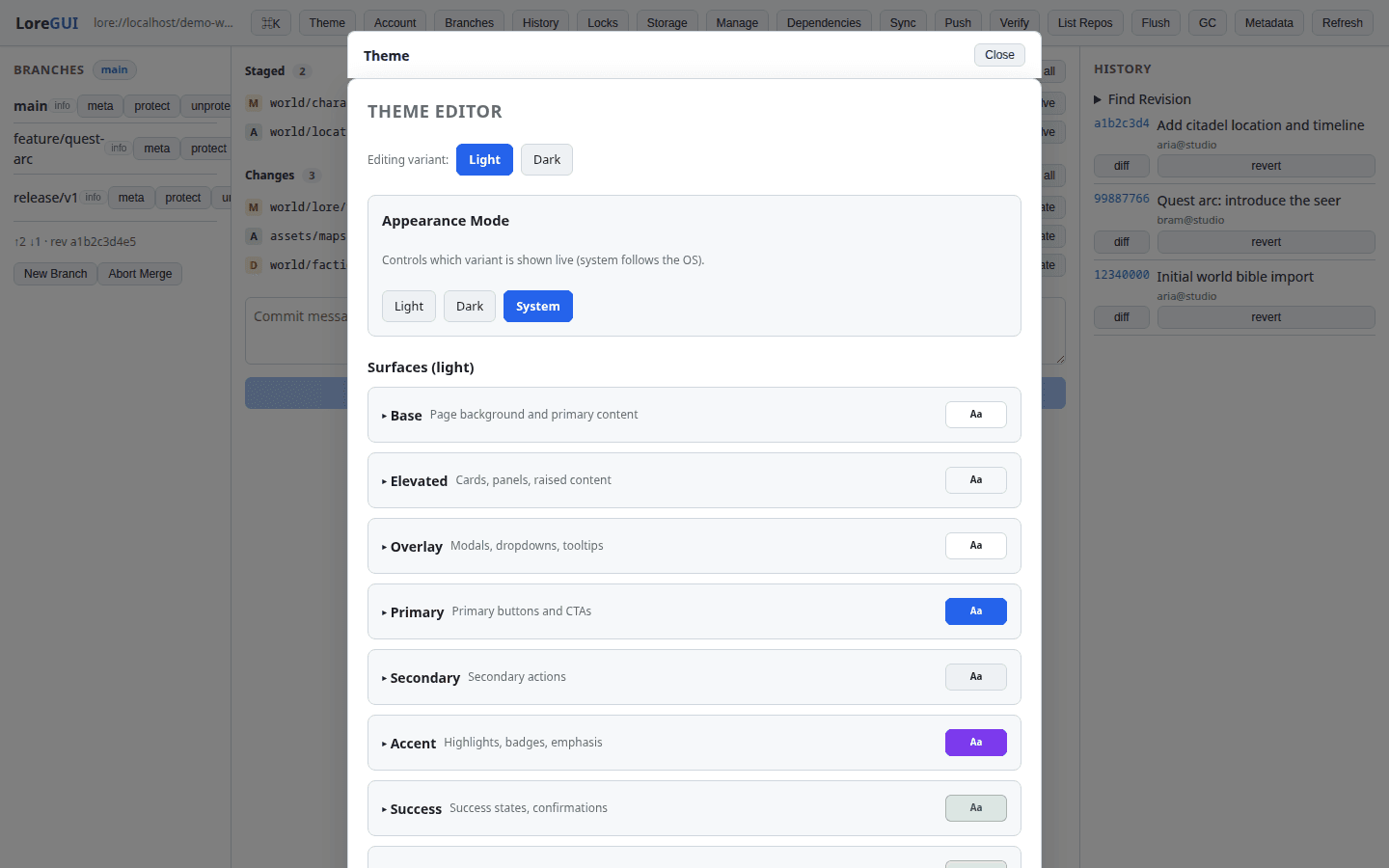
Theme editor
Every surface is a semantic token. Build a theme, save it, and share it — the whole app re-themes instantly, light or dark. (Hover this one and watch the editor re-theme itself.)
Real screenshots of the LoreGUI desktop app.
Read the user guideInstall in seconds
Download a signed installer for your platform. One binary, no daemon to configure.
Get the latest build
CI builds the current main on every push and publishes installers to GitHub Releases (the rolling nightly build).
Need a different format or an older build? Browse all GitHub Releases. Package managers (winget, Scoop, Homebrew) and in-app auto-update are on the roadmap.
LoreGUI ships as a standalone desktop app — but it’s also designed to embed into larger tooling: drop the same UI into your studio’s launcher or pipeline dashboard and drive Lore from there.